A .NET Web Application Without ASP.NET: From Pageless C# to a Standalone Executable
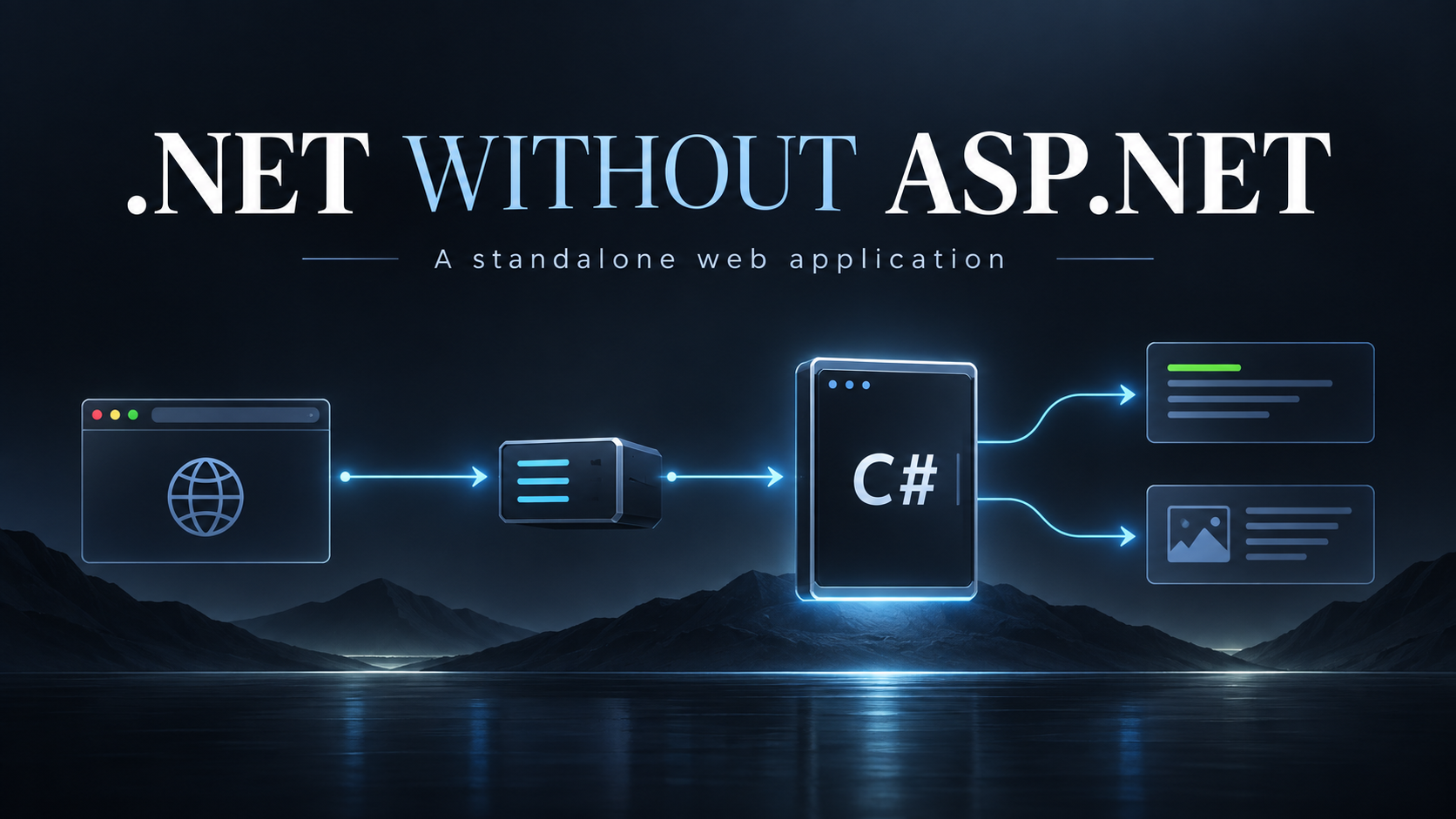
A .NET Web Application Without ASP.NET: From Pageless C# to a Standalone Executable
A proof of concept combining pageless C# handlers, HTTP.sys or raw TCP, and reverse proxy hosting to build a .NET web application without ASP.NET.
A web application can begin with an ordinary C# Main() method. The program starts, listens on a dedicated port, receives HTTP requests, runs application code, and returns HTML or JSON. IIS, Nginx, or Caddy can sit in front of it, accepting public traffic and forwarding requests to that executable.
There need not be an .aspx page, MVC controller, Razor view, ASP.NET Core middleware pipeline, WebApplication.CreateBuilder(), or Minimal API endpoint anywhere in the application.
This article develops that idea from three existing pieces: the Pageless ASP.NET Web Forms Architecture, its file-based routing refinement, and the cshttp HTTP parser (https://github.com/adriancs2/cshttp) and response toolkit. The first two describe how to organize web application code. The third provides a way to interpret and construct HTTP messages independently of ASP.NET.
Together, they suggest a practical next step: move the pageless application out of the ASP.NET host and into an executable that owns its request loop.
What “without ASP.NET” means
The claim is specific: a .NET web application does not require a pre-built Microsoft web application framework. It still needs a runtime, networking facilities, and ordinary libraries.
These layers are easy to confuse because the word “framework” appears in several product names. .NET Framework supplies a runtime and class libraries; ASP.NET is one of the application technologies built on that platform. .NET Core is also a runtime/platform family, not another name for a web framework. Microsoft's platform overview and .NET glossary distinguish these concepts.
The concrete example here targets .NET Framework 4.8 on Windows. It therefore needs neither .NET Core nor ASP.NET Core at runtime. It uses C#, the CLR, base class libraries, and the supplied cshttp source. A modern .NET console application could use a similar design, but that would be a different runtime choice.
Likewise, HTTP.sys and IIS are Microsoft infrastructure. Choosing them is compatible with avoiding Microsoft's web application frameworks, but would not support a claim of avoiding all Microsoft software. The raw TCP alternative removes the dependency on HTTP.sys for the application's listener.
The application is a long-running executable
The proposed deployment looks like this:
Browser
   |
   | Public HTTP/HTTPS
   v
IIS / Nginx / Caddy
   |
   | Backend HTTP, usually over loopback
   v
PagelessApp.exe :8080
   |
   +-- HTTP.sys through HttpListener
   |                 OR
   +-- TcpListener + cshttp
   |
   v
Request adapter -> route -> handler -> service/repository
                              |
                              v
                       HTML / JSON / files
Port 8080 is an example backend port, not an architectural requirement. The executable should accept configuration rather than assume that a particular port is available. The live tests for this article used 127.0.0.1:9001, because 8080 was already occupied.
The process starts once and handles many requests during its lifetime. It is not normally launched afresh for every request. Startup initializes configuration, discovers routes, and prepares shared application resources. Shutdown should eventually stop accepting requests, drain active work, and release those resources.
The reverse proxy and the process supervisor have distinct jobs. A proxy forwards HTTP. A supervisor starts the executable, restarts it after failure, and manages its lifetime. Some hosting arrangements provide both functions; others require separate components.
What survives from pageless Web Forms
The original pageless architecture had already removed the Web Forms page programming model. Instead of .aspx pages and server controls, Application_BeginRequest dispatched requests to ordinary C# handlers. A handler could assemble a document with StringBuilder, call an HTTP-free repository, or return JSON to browser JavaScript.
That was still an ASP.NET application: Global.asax, HttpApplication, HttpContext.Current, and Response.Write remained part of its execution path. Removing page files alone did not remove the host.
The useful separation was nevertheless already present. Rendering HTML, checking business rules, selecting a route, and calling a database do not intrinsically require System.Web.
| Existing pageless component | Standalone counterpart |
|---|---|
Application_Start | Initialization in Main() |
Application_BeginRequest | The executable's accept/read/dispatch loop |
HttpContext.Current.Request | An explicitly supplied request object |
Response.Write and CompleteRequest | Return a response; let the host send it |
HttpUtility.HtmlEncode | System.Net.WebUtility.HtmlEncode for HTML text |
HostingEnvironment.MapPath | A configured application or asset root |
HostingEnvironment.QueueBackgroundWorkItem | Application-managed workers with shutdown handling |
| Web Forms session state | Explicit session storage and cookie handling |
PageTemplate and thin handlers | The same responsibilities in plain C# |
The Pageless Web Forms document used an explicit routing switch. The later document replaced that switch with startup reflection and a route dictionary. Both ideas remain available. Neither depends on Web Forms.
Two ways to receive HTTP
Option A: HTTP.sys through HttpListener
On Windows, System.Net.HttpListener exposes an HTTP listener backed by HTTP.sys. The executable receives parsed request objects and writes response bodies through the listener API. It does not have to split raw HTTP header lines or decode chunked transfer framing itself. This is an operating-system HTTP service exposed through a library API, rather than an ASP.NET application pipeline. See Microsoft's HttpListener documentation.
A minimal illustration is:
using System.Net;
using System.Text;

static class HttpSysDemo
{
    static void Main()
    {
        using (var listener = new HttpListener())
        {
            listener.Prefixes.Add("http://127.0.0.1:9001/");
            listener.Start();

            while (true)
            {
                var context = listener.GetContext();
                byte[] body = Encoding.UTF8.GetBytes(
                    "<!doctype html><title>Pageless C#</title><h1>Hello</h1>");
                context.Response.ContentType = "text/html; charset=utf-8";
                context.Response.ContentLength64 = body.Length;
                try
                {
                    context.Response.OutputStream.Write(body, 0, body.Length);
                }
                finally { context.Response.Close(); }
            }
        }
    }
}
This is a sketch of the listener boundary, not the tested application below. Windows URL reservations and the process identity must permit the chosen prefix. A reverse proxy must also send a backend Host value that matches the listener's configured prefix; a TCP bind and an HTTP.sys URL registration have different matching rules.
With this option, cshttp is unnecessary for parsing the HTTP envelope. Do not serialize an HttpListenerRequest back into fake raw HTTP merely to parse it again. Adapt its method, path, headers, and body into the application's request abstraction. Responses go through HttpListenerResponse; do not write a complete HTTP/1.1 ... message into its body stream.
Option B: TcpListener and cshttp
The second option accepts TCP connections and reads the bytes directly. TcpListener and NetworkStream supply transport; cshttp supplies HTTP parsing and response serialization. Microsoft's TCP networking documentation describes the transport APIs.
The supplied cshttp project contains 19 toolkit source files in the CsHttp namespace. Its main pieces include:
| Component | Responsibility |
|---|---|
HttpParser | Parse HTTP request and response envelopes |
ParseResult | Report success, failure, warnings, and consumed bytes |
HttpRequestMessage | Represent method, target, headers, and body |
| Content parsers | Decode query strings, forms, multipart bodies, and cookies |
HttpResponse | Assemble status, headers, and body into response bytes |
| Parser options | Configure framing policies and size limits |
It is a toolkit, not a server. The inspected project's Program.cs is a parser test harness. It does not accept network connections, run routes, or supervise an application.
That distinction matters when writing the missing host. TCP delivers a stream of bytes, not one complete request per Read(). A request can arrive in fragments, or several requests can arrive together. A host must buffer input, handle incomplete messages, enforce deadlines and resource limits, and decide what to do with bytes following a parsed message.
In the inspected API, incomplete input is reported as an unsuccessful result whose Error.Kind is ParseErrorKind.Incomplete. There is no separate public IsIncomplete property. BytesConsumed can support a host that retains subsequent messages, but does not implement persistent connections by itself.
A working socket-host proof of concept
The following executable uses the actual cshttp API. It returns a personalized HTML document at /, accepts a name through an ordinary GET form, and exposes JSON at /api/health.
Its scope is deliberately small: HTTP/1.1 origin-form requests, GET routes, one request per connection, and sequential clients. It uses a bounded input buffer and read deadline, sets parser body limits, and sends Connection: close. It does not implement persistent connections or pipeline processing; any bytes after the first request are discarded when the connection closes.
The program uses HTTP_PLATFORM_PORT when supplied and otherwise defaults to 8080. Set it to 9001 for the local test shown below.
using System;
using System.Diagnostics;
using System.IO;
using System.Net;
using System.Net.Sockets;
using System.Text;
using CsHttp;

static class PagelessDemo
{
    static void Main()
    {
        int port;
        if (!int.TryParse(Environment.GetEnvironmentVariable("HTTP_PLATFORM_PORT"), out port))
            port = 8080;
        var listener = new TcpListener(IPAddress.Loopback, port);
        listener.Start();
        Console.WriteLine("Listening on http://127.0.0.1:" + port);
        try
        {
            while (true)
            {
                using (var client = listener.AcceptTcpClient())
                {
                    client.SendTimeout = 5000;
                    try
                    {
                        using (var stream = client.GetStream())
                        {
                            byte[] response = Receive(stream);
                            stream.Write(response, 0, response.Length);
                        }
                    }
                    catch (IOException) { /* Closed connection or timeout. */ }
                    catch (SocketException) { /* Disconnected client. */ }
                }
            }
        }
        finally { listener.Stop(); }
    }

    static byte[] Receive(NetworkStream stream)
    {
        var options = ParserOptions.Strict;
        options.MaxBodySize = 65536;
        options.MaxChunkSize = 65536;
        byte[] buffer = new byte[131072];
        int used = 0;
        var clock = Stopwatch.StartNew();
        while (used < buffer.Length)
        {
            int remaining = 5000 - (int)clock.ElapsedMilliseconds;
            if (remaining <= 0) return Reply(408, "Request timeout");
            stream.ReadTimeout = remaining;
            int count = stream.Read(buffer, used, buffer.Length - used);
            if (count == 0) return Reply(400, "Incomplete request");
            used += count;
            var parsed = HttpParser.ParseRequest(buffer, 0, used, options);
            if (parsed.Success) return Dispatch(parsed.Request);
            if (parsed.Error.Kind != ParseErrorKind.Incomplete)
                return Reply(400, "Invalid request");
        }
        return Reply(413, "Request too large");
    }

    static byte[] Dispatch(HttpRequestMessage request)
    {
        var hosts = request.Headers.GetValues("Host");
        if (request.Version != "HTTP/1.1" || hosts.Length != 1 ||
            string.IsNullOrWhiteSpace(hosts[0]) ||
            request.RequestTargetForm != RequestTargetForm.Origin)
            return Reply(400, "Expected an HTTP/1.1 origin-form request with one Host");

        if (request.Method != "GET")
            return new HttpResponse(405).Header("Allow", "GET")
                .Header("Connection", "close").Body(new byte[0]).ToBytes();

        // Exact raw paths keep this demonstration's routing policy explicit.
        string path = request.RequestTarget.Split('?')[0];
        if (path == "/api/health")
            return Reply(200, "{\"success\":true,\"message\":\"Running without ASP.NET\"}",
                "application/json; charset=utf-8");
        if (path != "/") return Reply(404, "Route not found");

        var query = QueryStringParser.Parse(request.RawQueryString);
        if (!query.Success) return Reply(400, "Invalid query string");
        string name = WebUtility.HtmlEncode(query.Collection["name"] ?? "World");
        var html = new StringBuilder();
        html.Append(@"<!doctype html><html lang='en'><head>
<meta charset='utf-8'><title>Pageless C#</title></head><body>");
        html.Append("<h1>Hello, " + name + "!</h1>");
        html.Append(@"<form method='get' action='/'>
<label>Name <input name='name'></label><button type='submit'>Greet</button>
</form><p><a href='/api/health'>JSON endpoint</a></p></body></html>");
        return Reply(200, html.ToString(), "text/html; charset=utf-8");
    }

    static byte[] Reply(int status, string body,
        string contentType = "text/plain; charset=utf-8")
    {
        return new HttpResponse(status).Header("Connection", "close")
            .Header("Content-Type", contentType).Body(body).ToBytes();
    }
}
The query parser's result is checked explicitly. In the inspected implementation, some convenience accessors return an empty collection when content parsing fails. An application that must distinguish malformed input from missing input should use the corresponding parser result rather than silently treating both cases as an empty form or query.
The response builder calculates Content-Length from the encoded body bytes. The handler encodes the name before placing it in HTML text. Its JSON response is a fixed literal; dynamic JSON should be produced by a serializer. Neither an HTML template engine nor a JSON serializer has to be part of an application framework.
This host still has important limits. A slow client occupies its single processing slot until the deadline, an Expect: 100-continue exchange is not implemented, HEAD is rejected, and there is no graceful shutdown protocol, TLS, streaming response support, or production error boundary. Re-parsing a growing buffer also repeats work. These are reasons to keep the demonstration bounded and to choose a more complete host for deployment, not reasons the application must use ASP.NET.
Reproduce the demonstration
Save the preceding C# block as PagelessDemo.cs. Copy the 19 toolkit files from the supplied project's src/cshttp/cshttp folder into a cshttp subfolder. Do not copy the repository's test-runner Program.cs into this application.
With a C# 7.3-or-later compiler available as csc and the .NET Framework 4.8 targeting pack installed, this PowerShell build explicitly references only the required framework assemblies:
$referenceDir = 'C:\Program Files (x86)\Reference Assemblies\Microsoft\Framework\.NETFramework\v4.8'
$toolkitSources = @(Get-ChildItem '.\cshttp\*.cs' | ForEach-Object FullName)
csc /nologo /noconfig /nostdlib+ /langversion:7.3 /target:exe `
    "/reference:$referenceDir\mscorlib.dll" `
    "/reference:$referenceDir\System.dll" `
    "/reference:$referenceDir\System.Core.dll" `
    /out:PagelessDemo.exe .\PagelessDemo.cs @toolkitSources

$env:HTTP_PLATFORM_PORT = '9001'
.\PagelessDemo.exe
Use a Visual Studio developer shell with a suitable compiler. The older csc.exe shipped inside the Windows .NET Framework directory is not necessarily a C# 7.3 compiler. For the article's verification, the installed SDK's Roslyn compiler was invoked against the .NET Framework 4.8 reference assemblies. Using a newer compiler as a build tool does not change the generated application's runtime target.
From another terminal:
curl.exe -i 'http://127.0.0.1:9001/?name=Reader'
curl.exe -i 'http://127.0.0.1:9001/api/health'
curl.exe -i 'http://127.0.0.1:9001/missing'
The first response contains Hello, Reader!. The second returns {"success":true,"message":"Running without ASP.NET"}. The third returns a 404 response.
Verification on 16 September 2026 established the following:
| Check | Observed result |
|---|---|
| Compile the socket application against .NET Framework 4.8 | Passed; one existing unused-field warning in the toolkit |
| Run the supplied parser test harness | 115 assertions passed, zero failed |
| Serve HTML and JSON on port 9001 | Passed |
Encode <script> supplied as the name | Returned <script> in HTML |
| Missing route and unsupported method | Returned 404 and 405 |
| Missing or duplicate Host header | Returned 400 |
| Request split across socket writes | Successfully served the JSON route |
| POST body split across socket writes | Waited for the body, then returned 405 |
| Conflicting Transfer-Encoding and Content-Length | Returned 400 |
| Inspect compiled assembly references | Only mscorlib, System, and System.Core |
These results demonstrate a running web application without ASP.NET dependencies. They do not establish complete HTTP conformance, production security, or a performance advantage over existing servers. The HTTP.sys sketch and proxy configurations in this article were not live-tested.
Growing the demo into the combined pageless architecture
The two-route switch makes the proof easy to inspect. A larger application can adopt the file-based routing convention from the architecture reference:
PagelessApp/
    Program.cs
    Hosting/
        TcpHost.cs                 # Socket host using cshttp
        HttpSysHost.cs             # Alternative host using HttpListener
    Engine/
        AppRequest.cs
        AppResponse.cs
        RouteEngine.cs
        PageTemplate.cs
        AppSession.cs
        Guard.cs
        StaticAsset.cs
    Routes/
        Index.cs                   # / and /index
        Books.cs                   # /books
        Api/
            BookApi.cs             # /api/bookapi
    Services/
    Repositories/
    Models/
    wwwroot/
        css/
        js/
This is a proposed application structure, not a claim that those classes already exist in cshttp. The two host adapters should converge on an application-owned contract, such as AppResponse Handle(AppRequest request). TCP responses become wire bytes; HTTP.sys responses are translated into listener properties and body writes.
Pass request state explicitly. The old static HttpContext.Current convenience should not become a global mutable “current request,” which would mix users when concurrency is introduced. Session resolution can attach the current user's identity to that request's context, while shared caches remain separate.
For route discovery, inspect compiled types in an exact namespace boundary such as App.Routes or App.Routes.*, require the agreed handler signature, and create delegates at startup. A namespace and class convention can map App.Routes.Admin.Users to /admin/users.
“File-based” here describes source organization. Reflection discovers compiled types, not source files magically executed from disk. Adding a handler requires compiling it into the application and restarting or redeploying. In older explicit-include project formats, it also requires a compile entry in the project file.
Fail startup on duplicate routes or competing root aliases. Decide explicitly whether paths are case-sensitive, how trailing slashes behave, and how percent-encoded separators are treated. Prefix routes need segment boundaries and a defined precedence, normally the longest applicable prefix. An exact-route dictionary has average constant-time lookup; that alone proves neither nanosecond request handling nor superiority to a compiler-generated switch.
The design reduces central routing edits, which is useful for both human and AI-assisted development. It does not eliminate route collisions or remove the need to inspect authorization, shared services, and API contracts.
Pages, APIs, sessions, and data access remain ordinary code
The rendering practices from both source documents carry over well. Keep a shared page shell for titles, metadata, navigation, CSS, and scripts. Compose page bodies in readable C# strings. Keep normal browser behavior in external JavaScript and scope CSS by page or component. Print-oriented documents can remain self-contained HTML with embedded styles and no JavaScript dependency.
Encoding must match the output context. HTML text encoding does not automatically make a value safe as a URL, JavaScript source, CSS, or an attribute. For dynamic data embedded in script elements, JSON serialization alone is not sufficient if literal </script> can appear; use an HTML-safe serialization mode or fetch the data from a JSON endpoint. Prefer external event listeners to interpolated inline handlers.
Asset URLs can use timestamps or content hashes for cache invalidation. Replace HostingEnvironment.MapPath with a configured filesystem root. If files may change while the process runs, any cached asset version must have a deliberate invalidation policy.
For APIs, preserve thin handlers: read explicit query or form values, authenticate, validate, authorize the operation, call application code, and construct the response. A cookie or query parameter should not silently override a mutation field through a combined lookup shortcut. A book update can scope ownership atomically in SQL with WHERE id = @id AND user_id = @uid.
The original ssid/lsid session design also transfers: a random session identifier selects process-local state, while a separately managed persistent login record can restore an authenticated session after a restart. These components are application work; parsing a Cookie header does not implement authentication.
Process-local state disappears on restart and is not automatically shared among workers. Expiry, cleanup, token rotation, logout revocation, and synchronization remain necessary. A ConcurrentDictionary protects its own operations, not arbitrary mutation of every object stored inside it. Persistent login recovery does not restore all anonymous or transient state.
Similarly, a guard that only checks whether a user is logged in is not complete protection for cookie-authenticated mutations. Method restrictions, authorization, and CSRF protection belong in the application design. Behind a TLS-terminating proxy, secure cookie decisions must reflect the trusted external connection, rather than merely noticing that the backend hop is plain HTTP.
Database libraries, serializers, and reusable services can be selected independently. The references mention MySqlExpress and SQLiteExpress, but their implementations were not supplied with this task, and the demo does not claim to exercise them.
Hosting behind IIS, Nginx, or Caddy
A fixed backend port
For a manually started or separately supervised executable, configure a backend port such as 8080 and forward requests to it. If proxy and application share a machine, a loopback listener keeps the backend off the public network. If they are on different machines or in separate containers, use an appropriately reachable private address and access controls instead; 127.0.0.1 refers to each environment itself.
A minimal Caddy example is:
example.com {
    reverse_proxy 127.0.0.1:8080
}
Replace the example domain and port with the real deployment values. Caddy documents this pattern and automatic HTTPS prerequisites in its reverse proxy quick-start.
An illustrative Nginx HTTP server block is:
server {
    listen 80;
    server_name example.com;

    location / {
        proxy_pass http://127.0.0.1:8080;
        proxy_http_version 1.1;
        proxy_set_header Host $host;
        proxy_set_header X-Forwarded-Proto $scheme;
        proxy_set_header X-Forwarded-For $remote_addr;
    }
}
This single-edge example overwrites the forwarded client address. Multiple trusted proxies require a deliberate chain policy. TLS configuration is outside this short example. Nginx's proxy module reference documents the forwarding directives.
For the HTTP.sys prefix shown earlier, configure the proxy's backend Host header to match 127.0.0.1:9001, or register a suitable explicit hostname prefix and permissions. The examples preserving the public Host are directly suited to the demonstrated TCP listener, not a universal HTTP.sys configuration.
IIS can perform the same forwarding role using ARR and URL Rewrite. In that arrangement, a separate service or supervisor runs the EXE; a rewrite rule alone does not launch it. Microsoft's ARR reverse-proxy walkthrough describes that proxy setup.
Letting IIS launch the executable
IIS HttpPlatformHandler is a separate option: it combines HTTP-listener process management with proxying. An illustrative site configuration is:
<configuration>
  <system.webServer>
    <handlers>
      <add name="PagelessExecutable" path="*" verb="*"
           modules="httpPlatformHandler" resourceType="Unspecified" />
    </handlers>
    <httpPlatform processPath=".\PagelessDemo.exe"
                  startupTimeLimit="20"
                  requestTimeout="00:02:00" />
  </system.webServer>
</configuration>
This assumes the module is installed and the application-pool identity can execute the program. The program must listen on the supplied HTTP_PLATFORM_PORT, rather than hard-code 8080. The example's startup code already reads that variable. The module's configuration and process-management behavior are documented in the HttpPlatformHandler reference.
Here web.config configures the IIS hosting boundary; it does not turn the EXE into a Web Forms or MVC application. Neither this arrangement nor ARR requires application code to run through Global.asax.
Nginx and Caddy reverse-proxy configuration, by itself, does not supervise an arbitrary C# application. Use a service wrapper, an appropriate operating-system supervisor, or a deployment system to own that process. A console executable also needs the appropriate integration or wrapper to operate as a Windows service.
What a production host must add
The running demonstration establishes feasibility. A deployable implementation must also define its operating contract: supported HTTP methods and versions, request limits, concurrency limits, cancellation, error handling, shutdown, logging, and health checks.
The TCP path owns connection lifecycle and HTTP framing behavior. The HTTP.sys path delegates much of that protocol work to Windows but still needs application scheduling and lifecycle design. A reverse proxy can handle public TLS and other edge functions; it does not make an incorrect backend parser correct.
The inspected response builder appends supplied header strings directly. Applications must reject CR/LF in any untrusted header or cookie input and avoid accepting user-supplied framing headers. The demo uses fixed response headers. Multipart filenames likewise need application validation and storage rules; ASP.NET's special treatment of an App_Data directory does not automatically exist in a custom static-file server.
Static assets can be served by the proxy or by a dedicated handler rooted in an explicit public directory. Never treat every file beside the EXE as a public resource. Request path decoding, traversal checks, upload storage, and static-file mapping need a consistent policy.
Background work needs similar ownership. Task.Run is not durable job storage. If work must survive a process restart, persist it and use a worker that can resume or retry safely. Retaining the original documents' separation between HTTP handlers and business services makes that evolution easier.
These responsibilities amount to building a small web infrastructure layer. It may reasonably be called a custom framework as it grows. The useful freedom is that the application can choose and own that layer instead of depending on an existing Microsoft web application framework.
The browser only needs a valid HTTP exchange. In the tested example, an ordinary .NET Framework executable supplies it: a socket accepts bytes, cshttp interprets the request, C# generates a response, and the browser receives a working page. The pageless architecture supplies the application organization; HTTP.sys or raw TCP supplies the host boundary; a reverse proxy supplies the public entrance.
Source basis
This article synthesizes the following supplied local materials, with the repository source taking precedence over broad README claims:
- https://adriancs.com/complete-architecture-reference-for-pageless-asp-net-web-forms-in-md-markdown-format — pageless rendering, explicit routing, session design, frontend organization, and HTTP-free application services.
- https://adriancs.com/architecture-reference-file-based-pageless-asp-net-web-forms — startup route discovery and one-handler-per-file organization.
- https://github.com/adriancs2/cshttp — inspected parser and response source, project references, and the executed test harness. The README points to the cshttp technical documentation.
The listener example and hosting architecture extend those materials. They do not imply that the supplied parser repository already contains a complete server, session system, routing engine, or production deployment.