HTML Generation Patterns: 10 Approaches for Building Dynamic Web Pages
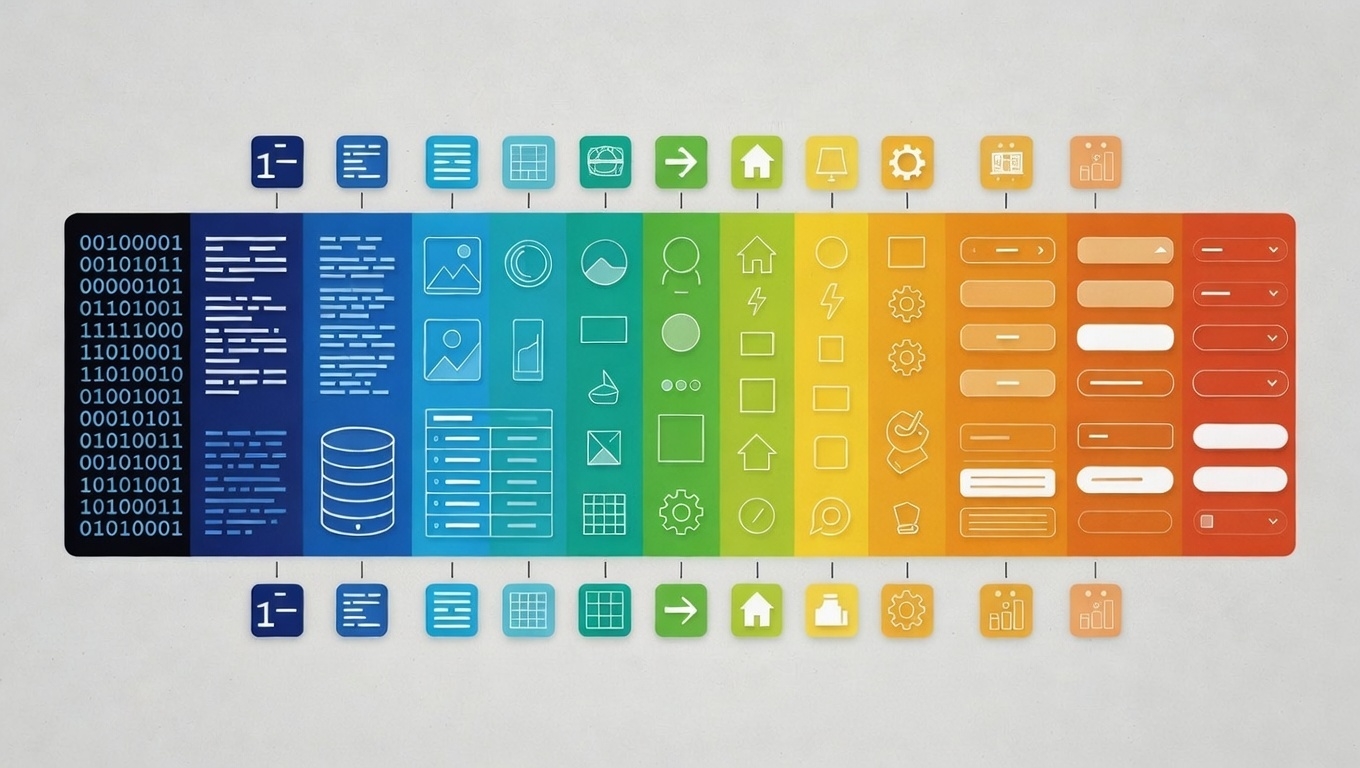
From StringBuilder to Razor, from XSLT to React—a comprehensive overview of how developers generate HTML dynamically, with pros, cons, and use cases for each approach.
Introduction
Every dynamic web application faces the same fundamental question: how do we turn data into HTML?
The answer seems simple—just concatenate some strings. But as applications grow, that simplicity becomes complexity. Suddenly you’re debugging HTML buried in business logic, escaping user input in dozens of places, and explaining to designers why they need to learn your programming language to change a button color.
Over the decades, developers have invented numerous patterns to solve this problem. Each makes different tradeoffs between performance, maintainability, and flexibility.
This article surveys 10 common approaches to HTML generation. Whether you’re building a simple script or architecting a large-scale application, understanding these patterns helps you choose the right tool for the job.
1. StringBuilder with Interpolated Strings
The most direct approach: build HTML by appending strings sequentially, often combined with interpolated strings for readability.
// C# - Basic StringBuilder
var sb = new StringBuilder();
sb.Append("<!DOCTYPE html>");
sb.Append("<html>");
sb.Append("<head><title>");
sb.Append(HttpUtility.HtmlEncode(title));
sb.Append("</title></head>");
sb.Append("<body>");
sb.Append("<h1>");
sb.Append(HttpUtility.HtmlEncode(heading));
sb.Append("</h1>");
sb.Append(content);
sb.Append("</body></html>");
return sb.ToString();
// C# - StringBuilder with Interpolated Strings (commonly used together)
var sb = new StringBuilder();
sb.Append($"<h1>{HttpUtility.HtmlEncode(title)}</h1>");
sb.Append("<table>");
foreach (var u in users)
{
sb.Append($@"
<tr>
<td>{rowNumber}</td>
<td>{HttpUtility.HtmlEncode(u.Name)}</td>
<td>{HttpUtility.HtmlEncode(u.Tel)}</td>
</tr>");
}
sb.Append("</table>");
return sb.ToString();// C# - Pure Interpolated String (for simpler cases)
string html = $@"
<!DOCTYPE html>
<html>
<head>
<title>{HttpUtility.HtmlEncode(title)}</title>
</head>
<body>
<h1>{HttpUtility.HtmlEncode(heading)}</h1>
<div class=""content"">
{content}
</div>
</body>
</html>";// Java
StringBuilder sb = new StringBuilder();
sb.append("<!DOCTYPE html>");
sb.append("<html>");
sb.append("<head><title>").append(escapeHtml(title)).append("</title></head>");
sb.append("<body>").append(content).append("</body>");
sb.append("</html>");
return sb.toString();// JavaScript (Template Literals)
const html = `
<!DOCTYPE html>
<html>
<head>
<title>${escapeHtml(title)}</title>
</head>
<body>
<h1>${escapeHtml(heading)}</h1>
<div class="content">
${content}
</div>
</body>
</html>`;# Python (f-strings)
html = f'''
<!DOCTYPE html>
<html>
<head>
<title>{escape(title)}</title>
</head>
<body>
<h1>{escape(heading)}</h1>
<div class="content">
{content}
</div>
</body>
</html>'''Who uses it: High-performance applications, email generators, quick scripts, serverless functions.
Pros:
- Fastest possible execution—no parsing, no lookups
- Zero dependencies
- Complete control over output
- Multiline interpolation keeps table rows readable
Cons:
- HTML structure buried in code
- Difficult to maintain and modify
- Easy to forget encoding, creating security holes
- Designers cannot edit templates
- No syntax highlighting for HTML in strings
Best suited for: Performance-critical code paths, simple HTML snippets, generated emails, quick prototypes.
2. Placeholder / Token Replacement
Store HTML in template files with placeholder tokens. At runtime, load the template and replace tokens with values.
<!-- template.html -->
<!DOCTYPE html>
<html>
<head>
    <title>{{page_title}}</title>
</head>
<body>
    {{header}}
    <main>{{content}}</main>
    {{footer}}
</body>
</html>
// C#
string template = File.ReadAllText("template.html");
template = template.Replace("{{page_title}}", HttpUtility.HtmlEncode(title));
template = template.Replace("{{header}}", headerHtml);
template = template.Replace("{{content}}", contentHtml);
template = template.Replace("{{footer}}", footerHtml);
return template;# Python
with open('template.html', 'r') as f:
template = f.read()
template = template.replace('{{page_title}}', escape(title))
template = template.replace('{{header}}', header_html)
template = template.replace('{{content}}', content_html)
template = template.replace('{{footer}}', footer_html)
return templateWho uses it: Many CMS platforms, simple web applications, static site generators.
Pros:
- Templates are pure HTML—designers can edit directly
- Clear separation between markup and code
- Easy to understand and implement
- No framework dependencies
Cons:
- No logic in templates (loops, conditionals)
- String replacement has some overhead
- Must manually handle encoding
Best suited for: Content-driven sites, teams with separate designers and developers, applications valuing simplicity.
3. View Engines (Razor, Blade, ERB, Jinja)
Embed code directly in HTML templates. The view engine compiles or interprets the template, executing code blocks and outputting the result.
<!-- Razor (C# / ASP.NET) -->
@model ArticleViewModel
<!DOCTYPE html>
<html>
<head>
    <title>@Model.Title</title>
</head>
<body>
    <h1>@Model.Title</h1>
    <ul>
    @foreach(var item in Model.Items) {
        <li>@item.Name - @item.Price.ToString("C")</li>
    }
    </ul>
</body>
</html>
<!-- Blade (PHP / Laravel) -->
<!DOCTYPE html>
<html>
<head>
<title>{{ $title }}</title>
</head>
<body>
<h1>{{ $title }}</h1>
<ul>
@foreach($items as $item)
<li>{{ $item->name }} - ${{ $item->price }}</li>
@endforeach
</ul>
</body>
</html><!-- ERB (Ruby / Rails) -->
<!DOCTYPE html>
<html>
<head>
<title><%= @title %></title>
</head>
<body>
<h1><%= @title %></h1>
<ul>
<% @items.each do |item| %>
<li><%= item.name %> - <%= number_to_currency(item.price) %></li>
<% end %>
</ul>
</body>
</html><!-- Jinja2 (Python / Flask) -->
<!DOCTYPE html>
<html>
<head>
<title>{{ title }}</title>
</head>
<body>
<h1>{{ title }}</h1>
<ul>
{% for item in items %}
<li>{{ item.name }} - ${{ item.price }}</li>
{% endfor %}
</ul>
</body>
</html>Who uses it: ASP.NET MVC/Core, Laravel, Ruby on Rails, Flask/Django, virtually every major web framework.
Pros:
- Full programming logic available (loops, conditionals, helpers)
- Strongly typed in some implementations (Razor)
- Automatic HTML encoding in most engines
- Rich ecosystem of helpers and extensions
Cons:
- Mixes logic with presentation (can become messy)
- Requires learning template syntax
- Compilation or parsing overhead
- Framework dependency
Best suited for: Full-featured web applications, framework-based development, teams comfortable with the technology stack.
4. Tag Builders / Fluent HTML
Construct HTML programmatically using builder objects that represent elements.
// C# (ASP.NET)
var div = new TagBuilder("div");
div.AddCssClass("container");

var heading = new TagBuilder("h1");
heading.InnerHtml.SetContent(title);
div.InnerHtml.AppendHtml(heading);

var list = new TagBuilder("ul");
foreach (var item in items)
{
    var li = new TagBuilder("li");
    li.InnerHtml.SetContent(item.Name);
    list.InnerHtml.AppendHtml(li);
}
div.InnerHtml.AppendHtml(list);

return div.ToHtmlString();
// Java (j2html)
import static j2html.TagCreator.*;
String html = div(attrs(".container"),
h1(title),
ul(
each(items, item ->
li(item.getName())
)
)
).render();// Kotlin (kotlinx.html)
val html = createHTML().div {
classes = setOf("container")
h1 { +title }
ul {
items.forEach { item ->
li { +item.name }
}
}
}Who uses it: ASP.NET MVC HTML helpers, Java web applications, Kotlin server-side rendering.
Pros:
- Guaranteed valid HTML structure
- IDE autocomplete and type checking
- Refactoring-friendly
- No string concatenation bugs
Cons:
- Verbose compared to raw HTML
- Difficult to visualize final output
- Steeper learning curve
- Still mixes markup with code
Best suited for: HTML helper methods, reusable UI components, situations requiring programmatic HTML manipulation.
5. Component-Based Architecture
Build UI as a tree of self-contained components, each managing its own markup, state, and behavior.
// React (JavaScript/JSX)
function ArticlePage({ article }) {
    return (
        <Layout>
            <Header />
            <main className="content">
                <Article
                    title={article.title}
                    content={article.content}
                />
                <CommentSection articleId={article.id} />
            </main>
            <Footer />
        </Layout>
    );
}

function Article({ title, content }) {
    return (
        <article className="article">
            <h1>{title}</h1>
            <div dangerouslySetInnerHTML={{ __html: content }} />
        </article>
    );
}
<!-- Vue (Single File Component) -->
<template>
<Layout>
<Header />
<main class="content">
<article class="article">
<h1>{{ article.title }}</h1>
<div v-html="article.content"></div>
</article>
<CommentSection :article-id="article.id" />
</main>
<Footer />
</Layout>
</template>
<script>
export default {
props: ['article'],
components: { Layout, Header, Footer, CommentSection }
}
</script>// Blazor (C#)
@page "/article/{Id:int}"
<Layout>
<Header />
<main class="content">
<article class="article">
<h1>@Article.Title</h1>
@((MarkupString)Article.Content)
</article>
<CommentSection ArticleId="@Article.Id" />
</main>
<Footer />
</Layout>
@code {
[Parameter] public int Id { get; set; }
private Article Article { get; set; }
protected override async Task OnInitializedAsync() {
Article = await ArticleService.GetAsync(Id);
}
}Who uses it: React, Vue, Angular, Svelte, Blazor—most modern frontend frameworks.
Pros:
- Highly reusable components
- Clear component hierarchy
- Encapsulated state and behavior
- Strong tooling and ecosystem
- Testable in isolation
Cons:
- Framework dependency and lock-in
- Learning curve for component lifecycle
- Can be overkill for simple pages
- Bundle size considerations (JavaScript frameworks)
Best suited for: Single-page applications, complex interactive UIs, large teams with shared component libraries.
6. XML/XSLT Transformation
Define HTML structure as XSLT templates that transform XML data into HTML output.
<!-- data.xml -->
<?xml version="1.0"?>
<page>
    <title>Welcome</title>
    <articles>
        <article>
            <title>First Post</title>
            <content>Hello world!</content>
        </article>
        <article>
            <title>Second Post</title>
            <content>Another post.</content>
        </article>
    </articles>
</page>
<!-- transform.xslt -->
<?xml version="1.0"?>
<xsl:stylesheet version="1.0" xmlns:xsl="http://www.w3.org/1999/XSL/Transform">
<xsl:template match="/page">
<html>
<head>
<title><xsl:value-of select="title"/></title>
</head>
<body>
<h1><xsl:value-of select="title"/></h1>
<xsl:apply-templates select="articles/article"/>
</body>
</html>
</xsl:template>
<xsl:template match="article">
<article class="article">
<h2><xsl:value-of select="title"/></h2>
<p><xsl:value-of select="content"/></p>
</article>
</xsl:template>
</xsl:stylesheet>// C# transformation
var xslt = new XslCompiledTransform();
xslt.Load("transform.xslt");
using (var writer = new StringWriter())
{
xslt.Transform("data.xml", null, writer);
return writer.ToString();
}Who uses it: Enterprise systems, legacy applications, XML-heavy workflows, some CMS platforms.
Pros:
- Declarative transformation rules
- Complete separation of data and presentation
- Powerful pattern matching
- Standardized (W3C specification)
Cons:
- Steep learning curve
- Verbose and complex syntax
- Largely fallen out of favor
- Debugging can be difficult
Best suited for: XML-centric workflows, enterprise integrations, document transformations, legacy system maintenance.
7. DOM Manipulation (Server-Side)
Parse HTML into a DOM tree, manipulate it programmatically, then serialize back to HTML.
// C# (HtmlAgilityPack)
var doc = new HtmlDocument();
doc.LoadHtml(templateHtml);

// Find and modify elements
var titleNode = doc.DocumentNode.SelectSingleNode("//title");
titleNode.InnerHtml = HttpUtility.HtmlEncode(pageTitle);

var contentDiv = doc.DocumentNode.SelectSingleNode("//div[@id='content']");
contentDiv.InnerHtml = articleContent;

// Add new elements
var nav = doc.DocumentNode.SelectSingleNode("//nav");
foreach (var item in menuItems)
{
    var link = doc.CreateElement("a");
    link.SetAttributeValue("href", item.Url);
    link.InnerHtml = HttpUtility.HtmlEncode(item.Label);
    nav.AppendChild(link);
}

return doc.DocumentNode.OuterHtml;
# Python (BeautifulSoup)
from bs4 import BeautifulSoup
with open('template.html', 'r') as f:
soup = BeautifulSoup(f.read(), 'html.parser')
# Find and modify elements
soup.title.string = page_title
soup.find('div', id='content').clear()
soup.find('div', id='content').append(BeautifulSoup(article_content, 'html.parser'))
# Add new elements
nav = soup.find('nav')
for item in menu_items:
link = soup.new_tag('a', href=item['url'])
link.string = item['label']
nav.append(link)
return str(soup)// Node.js (cheerio)
const cheerio = require('cheerio');
const $ = cheerio.load(templateHtml);
// Find and modify elements
$('title').text(pageTitle);
$('#content').html(articleContent);
// Add new elements
menuItems.forEach(item => {
$('nav').append(`<a href="${item.url}">${item.label}</a>`);
});
return $.html();Who uses it: Web scrapers, HTML post-processors, email template systems, migration tools.
Pros:
- Can modify existing HTML without regenerating
- Familiar DOM API (querySelector, getElementById)
- Good for surgical modifications
- Handles malformed HTML gracefully
Cons:
- Parsing and serialization overhead
- Overkill for generating HTML from scratch
- Can produce inconsistent output formatting
Best suited for: Modifying existing HTML, web scraping, content migration, HTML sanitization.
8. Logic-less Templates (Mustache, Handlebars)
Templates with minimal logic—primarily variable substitution and iteration, deliberately excluding complex control flow.
<!-- Mustache/Handlebars template -->
<!DOCTYPE html>
<html>
<head>
    <title>{{title}}</title>
</head>
<body>
    <h1>{{title}}</h1>

    {{#if showIntro}}
        <p class="intro">{{introText}}</p>
    {{/if}}

    <ul>
    {{#each items}}
        <li>
            <a href="{{url}}">{{name}}</a>
            {{#if featured}}<span class="badge">Featured</span>{{/if}}
        </li>
    {{/each}}
    </ul>

    {{> footer}}
</body>
</html>
// JavaScript (Handlebars)
const Handlebars = require('handlebars');
const template = Handlebars.compile(templateString);
const html = template({
title: 'My Page',
showIntro: true,
introText: 'Welcome to our site!',
items: [
{ name: 'Item 1', url: '/item-1', featured: true },
{ name: 'Item 2', url: '/item-2', featured: false }
]
});// C# (Handlebars.Net)
var template = Handlebars.Compile(templateString);
var html = template(new {
title = "My Page",
showIntro = true,
introText = "Welcome to our site!",
items = new[] {
new { name = "Item 1", url = "/item-1", featured = true },
new { name = "Item 2", url = "/item-2", featured = false }
}
});# Python (pystache)
import pystache
html = pystache.render(template_string, {
'title': 'My Page',
'showIntro': True,
'introText': 'Welcome to our site!',
'items': [
{'name': 'Item 1', 'url': '/item-1', 'featured': True},
{'name': 'Item 2', 'url': '/item-2', 'featured': False}
]
})Who uses it: Cross-platform applications, email templates, applications sharing templates between server and client.
Pros:
- Same template works in multiple languages
- Forces logic into code, not templates
- Simple syntax, easy to learn
- Automatic HTML escaping
Cons:
- Limited control flow can be frustrating
- Complex data requires preprocessing
- Partials/helpers needed for reusable components
Best suited for: Cross-platform templating, email generation, simple content sites, teams wanting strict separation.
9. Build-Time Generation (Static Site Generators, T4)
Generate HTML at build time rather than runtime. The output is static HTML files served directly.
<!-- content/post.md (Markdown source) -->
---
title: My First Post
date: 2025-01-05
template: article
---

# Hello World

This is my first blog post.

- Point one
- Point two
<!-- templates/article.html (Hugo/Jekyll template) -->
<!DOCTYPE html>
<html>
<head>
<title>{{ .Title }} - My Blog</title>
</head>
<body>
<article>
<h1>{{ .Title }}</h1>
<time>{{ .Date.Format "January 2, 2006" }}</time>
<div class="content">
{{ .Content }}
</div>
</article>
</body>
</html># T4 Template (.tt file - Visual Studio)
<#@ template language="C#" #>
<#@ output extension=".html" #>
<#@ import namespace="System.Collections.Generic" #>
<#
var pages = GetPagesFromDatabase();
#>
<!DOCTYPE html>
<html>
<body>
<nav>
<# foreach(var page in pages) { #>
<a href="<#= page.Url #>"><#= page.Title #></a>
<# } #>
</nav>
</body>
</html>Who uses it: Hugo, Jekyll, Gatsby, Next.js (static export), Eleventy, documentation sites, blogs.
Pros:
- Zero runtime overhead—serving static files
- Excellent performance and caching
- Can be hosted anywhere (CDN, S3, GitHub Pages)
- SEO-friendly by default
- Secure—no server-side code execution
Cons:
- Not suitable for dynamic/personalized content
- Rebuild required for content changes
- Build times grow with site size
Best suited for: Blogs, documentation, marketing sites, any content that doesn’t need real-time personalization.
10. Server Controls (ASP.NET WebForms Classic Server Control)
Declarative server-side controls that abstract HTML generation. Controls handle their own rendering, data binding, and event handling.
<%-- ProductList.aspx --%>
<%@ Page Language="C#" AutoEventWireup="true" CodeBehind="ProductList.aspx.cs"
    Inherits="MyApp.ProductList" %>
<!DOCTYPE html>
<html>
<head>
    <title>Product Catalog</title>
</head>
<body>
    <form id="form1" runat="server">
        <h1>Product Catalog</h1>

        <asp:GridView ID="gvProducts" runat="server"
            EnableViewState="false"
            AutoGenerateColumns="false"
            CssClass="product-table">
            <Columns>
                <asp:BoundField DataField="ProductId" HeaderText="ID" />
                <asp:BoundField DataField="Name" HeaderText="Product Name" />
                <asp:BoundField DataField="Price" HeaderText="Price"
                    DataFormatString="{0:C}" />
                <asp:TemplateField HeaderText="Status">
                    <ItemTemplate>
                        <%# (bool)Eval("InStock") ? "In Stock" : "Out of Stock" %>
                    </ItemTemplate>
                </asp:TemplateField>
            </Columns>
        </asp:GridView>
    </form>
</body>
</html>
// ProductList.aspx.cs (Code-behind)
public partial class ProductList : System.Web.UI.Page
{
protected void Page_Load(object sender, EventArgs e)
{
if (!IsPostBack)
{
gvProducts.DataSource = GetProducts();
gvProducts.DataBind();
}
}
private List<Product> GetProducts()
{
return new List<Product>
{
new Product { ProductId = 1, Name = "Widget", Price = 29.99m, InStock = true },
new Product { ProductId = 2, Name = "Gadget", Price = 49.99m, InStock = false },
new Product { ProductId = 3, Name = "Gizmo", Price = 19.99m, InStock = true }
};
}
}<!-- Rendered HTML output (with EnableViewState="false") -->
<table class="product-table">
<tr>
<th>ID</th>
<th>Product Name</th>
<th>Price</th>
<th>Status</th>
</tr>
<tr>
<td>1</td>
<td>Widget</td>
<td>$29.99</td>
<td>In Stock</td>
</tr>
<tr>
<td>2</td>
<td>Gadget</td>
<td>$49.99</td>
<td>Out of Stock</td>
</tr>
<tr>
<td>3</td>
<td>Gizmo</td>
<td>$19.99</td>
<td>Out of Stock</td>
</tr>
</table>Or Repeater:
<%-- ProductList.aspx --%>
<%@ Page Language="C#" AutoEventWireup="true" CodeBehind="ProductList.aspx.cs"
    Inherits="MyApp.ProductList" %>
<!DOCTYPE html>
<html>
<head>
    <title>Product Catalog</title>
</head>
<body>
    <form id="form1" runat="server">
        <h1>Product Catalog</h1>

        <table class="product-table">
            <tr>
                <th>ID</th>
                <th>Product Name</th>
                <th>Price</th>
                <th>Status</th>
            </tr>
            <asp:Repeater ID="rptProducts" runat="server">
                <ItemTemplate>
                    <tr>
                        <td><%# Eval("ProductId") %></td>
                        <td><%# Eval("Name") %></td>
                        <td><%# Eval("Price", "{0:C}") %></td>
                        <td><%# (bool)Eval("InStock") ? "In Stock" : "Out of Stock" %></td>
                    </tr>
                </ItemTemplate>
            </asp:Repeater>
        </table>
    </form>
</body>
</html>
// ProductList.aspx.cs
protected void Page_Load(object sender, EventArgs e)
{
if (!IsPostBack)
{
rptProducts.DataSource = GetProducts();
rptProducts.DataBind();
}
}Who uses it: Legacy enterprise applications, systems built on .NET Framework, organizations with existing WebForms codebases.
Pros:
- Rapid development with drag-and-drop controls
- Event-driven model familiar to desktop developers
- Rich built-in controls (GridView, Repeater, FormView)
- Strong Visual Studio designer support
- Automatic HTML encoding in data-bound expressions
Cons:
- ViewState can bloat page size (disable with
EnableViewState="false") - Less control over rendered HTML
- Tightly coupled to ASP.NET infrastructure
- Page lifecycle complexity
- Considered legacy technology
Best suited for: Maintaining existing WebForms applications, rapid prototyping with data grids, teams with WebForms expertise, internal enterprise tools.
Comparison Table
| Pattern | Performance | Maintainability | Designer-Friendly |
|---|---|---|---|
| StringBuilder + Interpolation | ★★★★★ | ★★ | ★ |
| Placeholder Replace | ★★★★ | ★★★★ | ★★★★★ |
| View Engines | ★★★ | ★★★★ | ★★★ |
| Tag Builders | ★★★★ | ★★★ | ★ |
| Component-Based | ★★★ | ★★★★★ | ★★★ |
| XSLT | ★★ | ★★ | ★★ |
| DOM Manipulation | ★★ | ★★★ | ★★★ |
| Logic-less Templates | ★★★ | ★★★★ | ★★★★ |
| Build-Time Generation | ★★★★★ | ★★★★ | ★★★★ |
| Server Controls (WebForms) | ★★★ | ★★★ | ★★ |