HTTP Status Codes and the EndResponse Handling in ASP.NET Web Forms Pageless Architecture (WPA)
Introduction
In traditional ASP.NET Web Forms, the page lifecycle handles response termination automatically. When your code-behind finishes executing, the framework takes over—rendering controls, writing output, and closing the connection.
In True Pageless Architecture, we take complete control. There are no .aspx files. Every request is intercepted at Application_BeginRequest in Global.asax, and we decide what happens:
protected void Application_BeginRequest(object sender, EventArgs e)
{
    string path = Request.Path.ToLower();

    // Let IIS serve static files
    if (IsStaticFile(path))
        return;

    // Route and handle request
    switch (path)
    {
        case "/":
        case "/home": HandleHome(); break;
        case "/about": HandleAbout(); break;
        case "/contact": HandleContact(); break;
        default: Handle404(); break;
    }

    EndResponse();
}
Why this architecture?
- Zero ASPX files — No page lifecycle overhead, no ViewState, no control tree
- Complete control — You decide exactly what bytes go over the wire
- Single exit point — All responses terminate through one path
- Explicit routing — Every URL is intentionally mapped or returns 404
In this architecture, you control everything. Every request must be properly terminated. Every error must return the correct HTTP status code. There’s no safety net—and no unnecessary overhead.
This article covers two essential topics:
- The EndResponse Pattern — How to properly terminate responses without exceptions
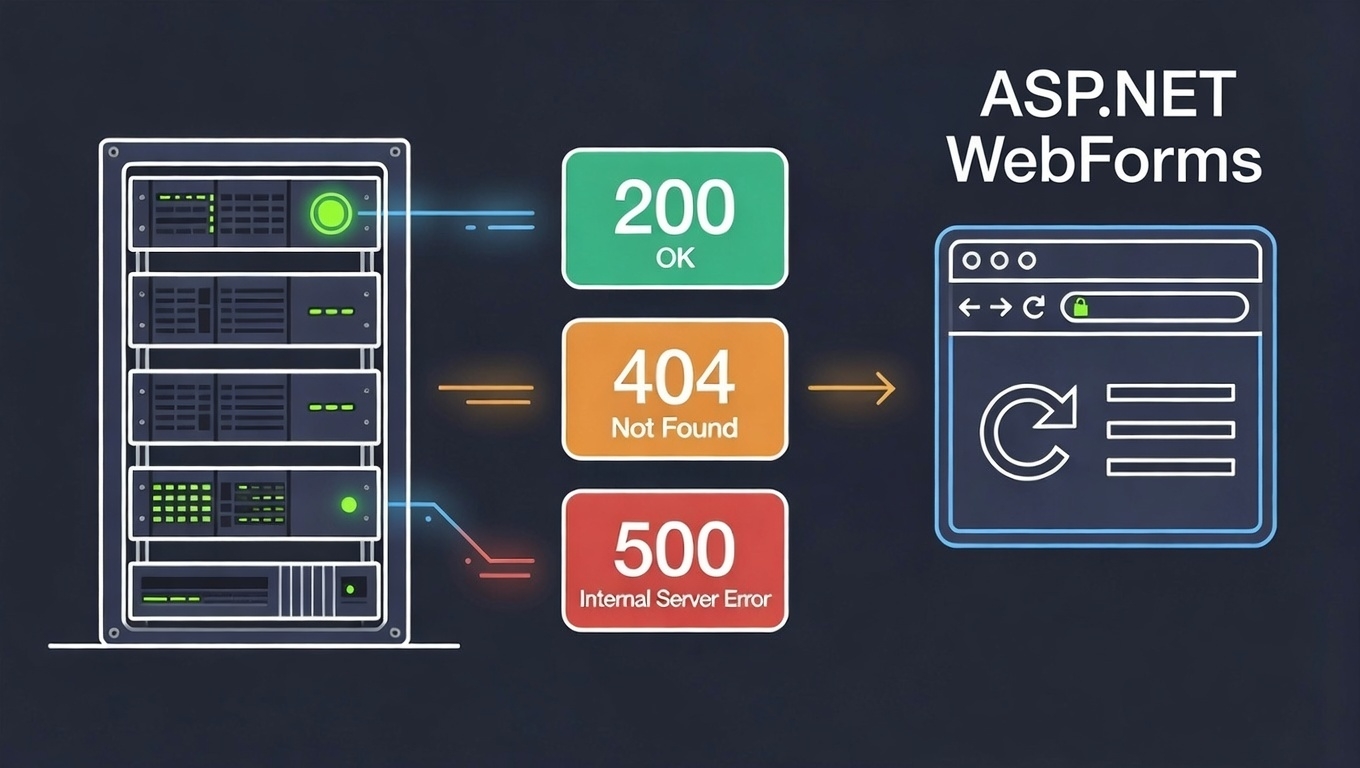
- HTTP Status Codes — When to use 200, 400, 404, 500, and how they differ from business logic errors
The EndResponse Pattern
Why Not Response.End()?
You might instinctively reach for Response.End():
// ❌ AVOID - throws ThreadAbortException
Response.Write("<html>...</html>");
Response.End();
The problem: Response.End() throws a ThreadAbortException to immediately halt execution. While it works, this approach has consequences:
| Issue | Impact |
|---|---|
| Performance overhead | Exception handling is expensive |
| Unpredictable cleanup | finally blocks may not execute as expected |
| Log pollution | Exception appears in error logs |
The Proper Pattern
Use this three-step pattern instead:
void EndResponse()
{
    Response.Flush();
    Response.SuppressContent = true;
    HttpContext.Current.ApplicationInstance.CompleteRequest();
}
What each step does:
| Step | Purpose |
|---|---|
Response.Flush() | Sends all buffered output to client immediately |
Response.SuppressContent = true | Prevents any further content from being written |
CompleteRequest() | Signals ASP.NET to skip remaining pipeline events |
The result is identical to Response.End()—the response terminates—but without throwing an exception. Clean, predictable, and efficient.
Single Exit Point Architecture
In a zero-ASPX architecture, the single exit point pattern is the cleanest approach. Every handled request flows through one EndResponse() call at the bottom of Application_BeginRequest.
Basic Structure
protected void Application_BeginRequest(object sender, EventArgs e)
{
    string path = Request.Path.ToLower();

    // Static files: let IIS handle them
    if (IsStaticFile(path))
        return;

    // Route to handlers
    switch (path)
    {
        case "/":
        case "/home": HandleHome(); break;
        case "/about": HandleAbout(); break;
        case "/contact": HandleContact(); break;
        default: Handle404(); break;
    }

    // Single exit point
    EndResponse();
}

void EndResponse()
{
    Response.Flush();
    Response.SuppressContent = true;
    HttpContext.Current.ApplicationInstance.CompleteRequest();
}
Static File Detection
The IsStaticFile() method determines which requests bypass our routing and go directly to IIS:
static readonly HashSet<string> StaticExtensions = new HashSet<string>(StringComparer.OrdinalIgnoreCase)
{
    ".html", ".htm", ".css", ".js",
    ".jpg", ".jpeg", ".png", ".gif", ".svg", ".ico",
    ".woff", ".woff2", ".ttf", ".eot",
    ".pdf", ".zip", ".txt", ".xml", ".json",
    // Classic ASP.NET *.aspx pages
    ".aspx"
};

bool IsStaticFile(string path)
{
    // Specific files
    if (path == "/favicon.ico" || path == "/robots.txt")
        return true;

    // Static directories
    if (path.StartsWith("/css/") ||
        path.StartsWith("/js/") ||
        path.StartsWith("/images/") ||
        path.StartsWith("/media/") ||
        path.StartsWith("/fonts/"))
        return true;

    // Static file extensions
    string ext = System.IO.Path.GetExtension(path);
    return StaticExtensions.Contains(ext);
}
This checks three things:
- Specific files —
/favicon.ico,/robots.txt - Static directories — anything under
/css/,/js/,/images/,/media/,/fonts/ - File extensions —
.html,.css,.js, images, fonts, etc.
Why Single Exit Point?
| Benefit | Explanation |
|---|---|
No return statements needed | Code flows naturally to the end |
| Easier debugging | Set one breakpoint to inspect all responses |
| Centralized logging | Add logging once, applies to all routes |
| Consistent cleanup | Resource disposal happens in one place |
| Reduced duplication | EndResponse() written once, not scattered |
With Error Handling
protected void Application_BeginRequest(object sender, EventArgs e)
{
    string path = Request.Path.ToLower();

    // Static files bypass our handling
    if (IsStaticFile(path))
        return;

    try
    {
        switch (path)
        {
            case "/":
            case "/home": HandleHome(); break;
            case "/about": HandleAbout(); break;
            case "/contact": HandleContact(); break;
            case "/api/data": HandleApiData(); break;
            default: Handle404(); break;
        }
    }
    catch (Exception ex)
    {
        LogError(ex);
        Handle500(ex);
    }

    // Single exit point - all requests end here
    EndResponse();
}
Complete Global.asax Example
using System;
using System.Collections.Generic;
using System.Web;

namespace MyApp
{
    public class Global : HttpApplication
    {
        protected void Application_BeginRequest(object sender, EventArgs e)
        {
            string path = Request.Path.ToLower();

            // Let IIS serve static files
            if (IsStaticFile(path))
                return;

            try
            {
                // HTML Pages
                switch (path)
                {
                    case "/":
                    case "/home": HandleHome(); break;
                    case "/about": HandleAbout(); break;
                    case "/contact": HandleContact(); break;
                    default: RouteApi(path); break;
                }
            }
            catch (Exception ex)
            {
                LogError(ex);
                Handle500(ex);
            }

            EndResponse();
        }

        void RouteApi(string path)
        {
            // API Routes
            if (path.StartsWith("/api/"))
            {
                switch (path)
                {
                    case "/api/items": HandleApiItems(); break;
                    case "/api/users": HandleApiUsers(); break;
                    default: Handle404(); break;
                }
            }
            else
            {
                Handle404();
            }
        }

        #region Static File Detection

        static readonly HashSet<string> StaticExtensions = new HashSet<string>(StringComparer.OrdinalIgnoreCase)
        {
            ".html", ".htm", ".css", ".js",
            ".jpg", ".jpeg", ".png", ".gif", ".svg", ".ico",
            ".woff", ".woff2", ".ttf", ".eot",
            ".pdf", ".zip", ".txt", ".xml", ".json"
        };

        bool IsStaticFile(string path)
        {
            // Specific files
            if (path == "/favicon.ico" || path == "/robots.txt")
                return true;

            // Static directories
            if (path.StartsWith("/css/") ||
                path.StartsWith("/js/") ||
                path.StartsWith("/images/") ||
                path.StartsWith("/media/") ||
                path.StartsWith("/fonts/"))
                return true;

            // Static file extensions
            string ext = System.IO.Path.GetExtension(path);
            return StaticExtensions.Contains(ext);
        }

        #endregion

        #region Page Handlers

        void HandleHome()
        {
            Response.ContentType = "text/html";
            Response.Write(BuildPage("Home", "<h1>Welcome Home</h1>"));
        }

        void HandleAbout()
        {
            Response.ContentType = "text/html";
            Response.Write(BuildPage("About", "<h1>About Us</h1>"));
        }

        void HandleContact()
        {
            Response.ContentType = "text/html";
            Response.Write(BuildPage("Contact", "<h1>Contact Us</h1>"));
        }

        string BuildPage(string title, string content)
        {
            return $@"<!DOCTYPE html>
<html>
<head>
    <title>{title}</title>
    <link rel=""stylesheet"" href=""/css/style.css"">
</head>
<body>
    {content}
</body>
</html>";
        }

        #endregion

        #region API Handlers

        void HandleApiItems()
        {
            string action = (Request["action"] + "").ToLower();

            switch (action)
            {
                case "list": GetItemList(); break;
                case "get": GetItem(); break;
                case "save": SaveItem(); break;
                case "delete": DeleteItem(); break;
                default: WriteError("Unknown action", 400); break;
            }
        }

        void HandleApiUsers()
        {
            // Similar pattern...
            WriteJson(new { success = true, message = "Users API" });
        }

        void GetItemList()
        {
            var items = new[] { "Item 1", "Item 2", "Item 3" };
            WriteJson(new { success = true, items });
        }

        void GetItem()
        {
            int id;
            if (!int.TryParse(Request["id"], out id) || id <= 0)
            {
                WriteError("Invalid ID", 400);
                return;
            }

            // Simulate database lookup
            var item = new { id, name = "Sample Item" };
            WriteJson(new { success = true, item });
        }

        void SaveItem()
        {
            string name = (Request["name"] + "").Trim();

            if (string.IsNullOrEmpty(name))
            {
                WriteError("Name is required", 400);
                return;
            }

            // Business logic check (200 with success=false)
            if (name == "duplicate")
            {
                WriteJson(new { success = false, message = "Name already exists" });
                return;
            }

            WriteJson(new { success = true, message = "Saved", id = 123 });
        }

        void DeleteItem()
        {
            int id;
            if (!int.TryParse(Request["id"], out id) || id <= 0)
            {
                WriteError("Invalid ID", 400);
                return;
            }

            WriteJson(new { success = true, message = "Deleted" });
        }

        #endregion

        #region Error Handlers

        void Handle404()
        {
            Response.StatusCode = 404;
            Response.ContentType = "text/html";
            Response.Write(BuildPage("404 Not Found", "<h1>Page Not Found</h1>"));
        }

        void Handle500(Exception ex)
        {
            Response.StatusCode = 500;
            Response.ContentType = "text/html";
            Response.Write(BuildPage("500 Error", "<h1>Server Error</h1>"));
        }

        #endregion

        #region Helper Methods

        void EndResponse()
        {
            Response.Flush();
            Response.SuppressContent = true;
            HttpContext.Current.ApplicationInstance.CompleteRequest();
        }

        void WriteJson(object obj)
        {
            Response.ContentType = "application/json";
            Response.Write(System.Text.Json.JsonSerializer.Serialize(obj));
        }

        void WriteError(string message, int statusCode)
        {
            Response.StatusCode = statusCode;
            WriteJson(new { success = false, message });
        }

        void LogError(Exception ex)
        {
            System.Diagnostics.Debug.WriteLine($"Error: {ex.Message}");
            // Add your logging implementation
        }

        #endregion
    }
}
HTTP Status Codes
The Two Types of Errors
Before diving into status codes, understand this fundamental distinction:
| Error Type | HTTP Status | Meaning |
|---|---|---|
| Business logic error | 200 OK | Request processed correctly; business rule rejected it |
| Technical error | 4xx / 5xx | Something went wrong at the HTTP or server level |
Business logic error (200):
User tries to register with an email that already exists.
→ Server received the request, queried database, found duplicate.
→ HTTP transaction was successful. Business rule said "no".
Technical error (4xx/5xx):
Database connection failed while processing registration.
→ Server couldn't complete the request properly.
→ HTTP transaction failed.
Common Status Codes
| Code | Name | When to Use |
|---|---|---|
| 200 | OK | Success, or business logic rejection with success: false |
| 400 | Bad Request | Missing/invalid parameters, malformed request |
| 401 | Unauthorized | Not logged in, session expired |
| 403 | Forbidden | Logged in but lacks permission |
| 404 | Not Found | Resource or route doesn’t exist |
| 500 | Internal Server Error | Unhandled exception, server failure |
Status Code Examples
// 400 - Bad Request (invalid input)
void GetItem()
{
    int id;
    if (!int.TryParse(Request["id"], out id) || id <= 0)
    {
        WriteError("Invalid ID", 400);
        return;
    }
    // ...
}

// 401 - Unauthorized (not logged in)
void HandleSecurePage()
{
    if (Session["UserId"] == null)
    {
        Response.StatusCode = 401;
        Response.Redirect("/login");
        return;
    }
    // ...
}

// 403 - Forbidden (logged in, no permission)
void HandleAdminPage()
{
    if (Session["Role"]?.ToString() != "Admin")
    {
        WriteError("Access denied", 403);
        return;
    }
    // ...
}

// 404 - Not Found (resource doesn't exist)
void Handle404()
{
    Response.StatusCode = 404;
    Response.ContentType = "text/html";
    Response.Write(BuildPage("Not Found", "<h1>404 - Page Not Found</h1>"));
}

// 500 - Server Error (exception)
void Handle500(Exception ex)
{
    Response.StatusCode = 500;
    Response.ContentType = "text/html";
    Response.Write(BuildPage("Error", "<h1>500 - Server Error</h1>"));
}

// 200 with success=false (business logic rejection)
void SaveItem()
{
    string name = (Request["name"] + "").Trim();

    if (NameAlreadyExists(name))
    {
        // NOT a 400 - the request was valid, business rule rejected it
        WriteJson(new { success = false, message = "Name already exists" });
        return;
    }

    WriteJson(new { success = true, id = 123 });
}
Decision Matrix: When to Use Each Code
Is the request format valid?
├── No → 400 Bad Request
│
├── Is authentication required?
│   └── Not logged in → 401 Unauthorized
│
├── Is authorization required?
│   └── No permission → 403 Forbidden
│
├── Does the route/resource exist?
│   └── No → 404 Not Found
│
├── Did server encounter an error?
│   └── Yes → 500 Internal Server Error
│
└── Request processed successfully
    ├── Business rule passed → 200 + { success: true }
    └── Business rule failed → 200 + { success: false }
Client-Side Error Handling
The Four-Level Check (JavaScript)
async function saveItem(name) {
    try {
        const response = await fetch('/api/items?action=save', {
            method: 'POST',
            headers: { 'Content-Type': 'application/x-www-form-urlencoded' },
            body: `name=${encodeURIComponent(name)}`
        });

        // Level 2: HTTP status check
        if (!response.ok) {
            const error = await response.json();
            showToast(error.message || 'Request failed', 'error');
            return;
        }

        const data = await response.json();

        // Level 3: Business logic check
        if (!data.success) {
            showToast(data.message, 'warning');
            return;
        }

        // Level 4: Success
        showToast('Saved successfully', 'success');

    } catch (error) {
        // Level 1: Network error (no response at all)
        showToast('Network error. Please try again.', 'error');
    }
}
The Four Levels Explained
| Level | Check | What It Means |
|---|---|---|
| 1 | catch (error) | Network failure – request never reached server |
| 2 | !response.ok | HTTP 4xx/5xx – server returned an error status |
| 3 | !data.success | Business logic rejected – valid request, rule said no |
| 4 | Success | Everything passed |
Error Scenarios
| Scenario | HTTP Status | response.ok | data.success |
|---|---|---|---|
| Network failure | (none) | (throws) | (throws) |
| Invalid parameters | 400 | false | false |
| Not logged in | 401 | false | false |
| No permission | 403 | false | false |
| Route not found | 404 | false | false |
| Server exception | 500 | false | false |
| Business rule rejected | 200 | true | false |
| Success | 200 | true | true |
Summary
Architecture Overview
Request arrives
    │
    ├── Static file? → Let IIS handle it (return early)
    │
    └── Dynamic route
            │
            ├── Match found → Execute handler
            │
            └── No match → Handle404()
                    │
                    └── EndResponse() ← Single exit point
The EndResponse Pattern
void EndResponse()
{
    Response.Flush();
    Response.SuppressContent = true;
    HttpContext.Current.ApplicationInstance.CompleteRequest();
}
Single Exit Point Benefits
- No scattered
returnstatements afterEndResponse() - One location for logging, cleanup, and debugging
- Unmatched routes automatically become 404
- Static files bypass handling entirely
Status Code Decision Tree
Request valid?     No → 400
Authenticated?     No → 401
Authorized?        No → 403
Resource exists?   No → 404
Server error?     Yes → 500
Business logic?  Pass → 200 + success: true
                 Fail → 200 + success: false
Client-Side Template
try {
    const response = await fetch(url);

    if (!response.ok) {
        // Level 2: Handle 4xx/5xx
    }

    const data = await response.json();

    if (!data.success) {
        // Level 3: Handle business logic error
    }

    // Level 4: Success

} catch (error) {
    // Level 1: Handle network error
}